 OnAir
OnAirSee everything your radio is receiving.
It decodes 83 kinds of signal from an SDR: digital TV, DAB+ and FM, aircraft, ships, satellites, FT8 and a long tail of odder things. It runs on macOS, Windows and Linux and is receive-only: it never transmits and never decrypts.
- 83
- modes, in 14 groups
- 3
- platforms: macOS, Windows, Linux
- 9
- radio families, HackRF to RTL-SDR
- Free
- open source, no ads, no account
- RX
- receive-only: never transmits
What it does
What you can do with it.
Watch and listen
DVB-T2 (including T2-Lite), DVB-T, ATSC 1.0 and 3.0, ISDB-T, DTMB, DVB-S/S2, DVB-C, DAB and DAB+, FM with RDS, DRM and HD Radio. There is a live player with subtitles, teletext, a programme guide and recording.
Track things that move
Aircraft over ADS-B, ACARS and VDL Mode 2, ships on AIS, Iridium, weather satellites such as Meteor-M and GOES, radiosondes, GNSS and QO-100, on maps and a pass planner.
Monitor the rest
DMR, P25, TETRA, POCSAG, LoRaWAN, Meshtastic, Bluetooth LE, FT8, WSPR, JS8Call, PSK31, CW and many more. Encrypted traffic is shown as encrypted and left alone.
Check the signal
Spectrum, waterfall, constellations, SNR and error counters, one quality score and an echo detector that shows multipath. It shows why a channel fails, not just that it does.
Get better reception
A channel scanner, automatic gain tuning, a direction finder for aiming the antenna, and per-radio settings for whichever SDR you own.
Pass it on
A built-in network tuner streams channels to VLC, phones, Plex or Jellyfin; you can cast to AirPlay, record to file or UDP, and save raw IQ as SigMF.
The app
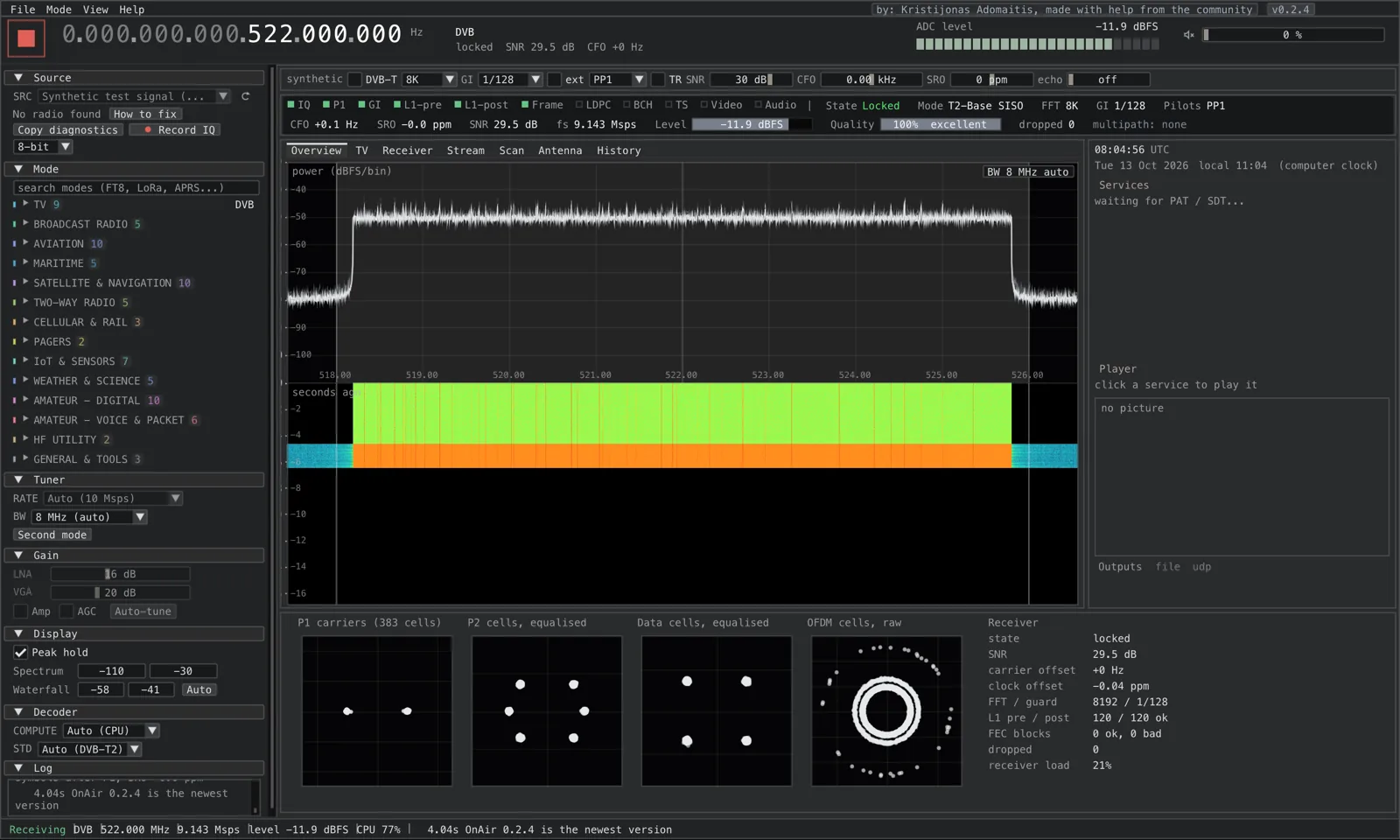
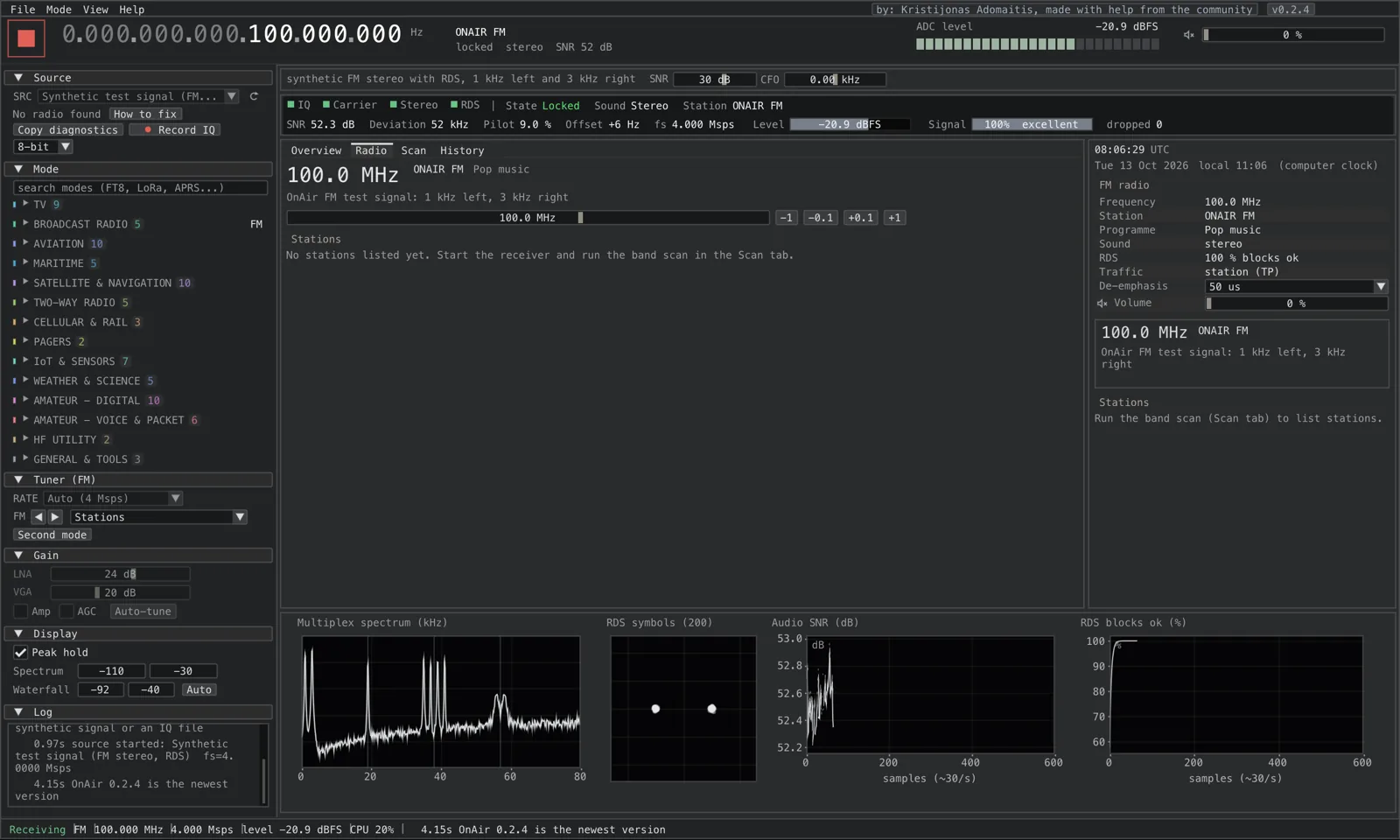
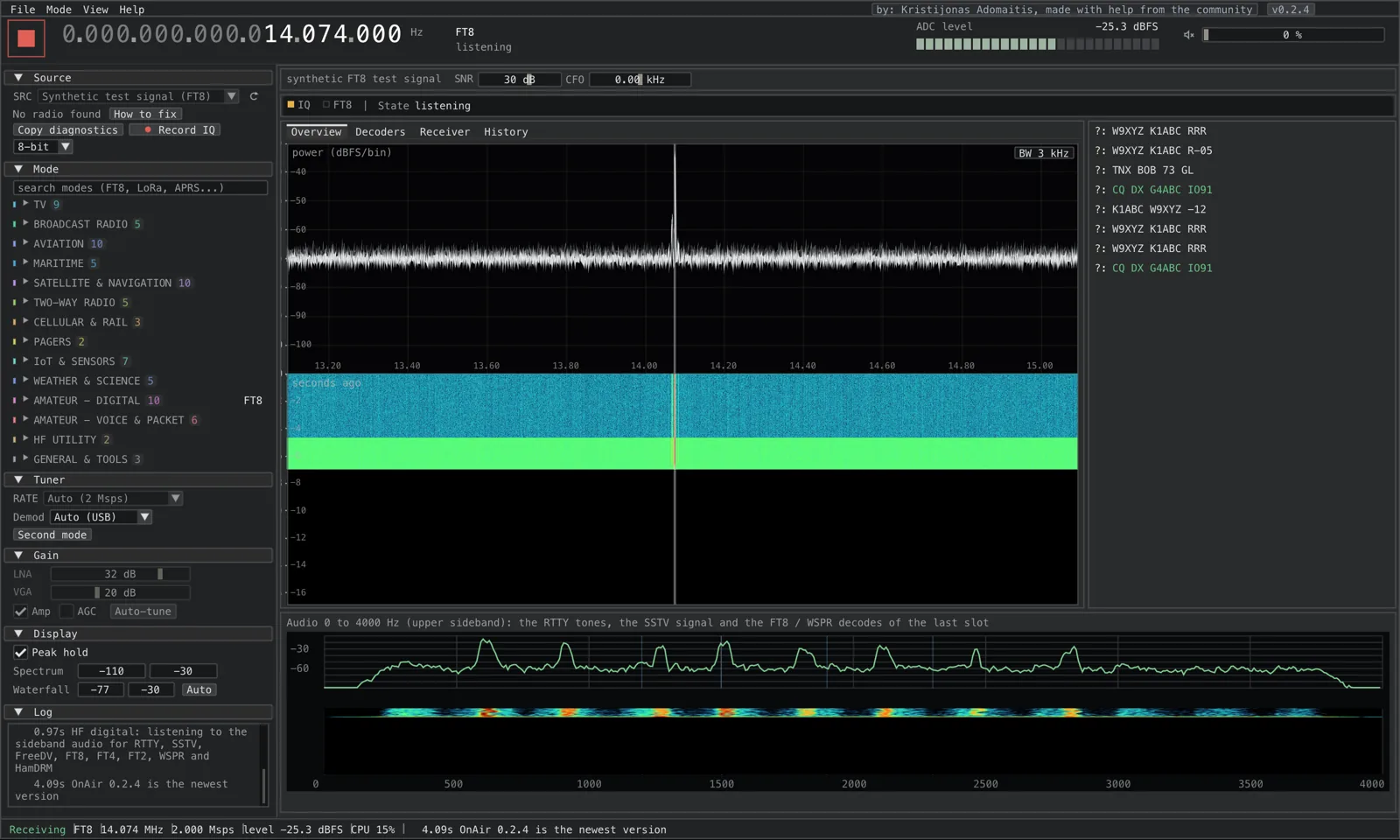
These are screenshots, not mock-ups.
All taken from a running build on its built-in test signals, so nothing here needed a radio.
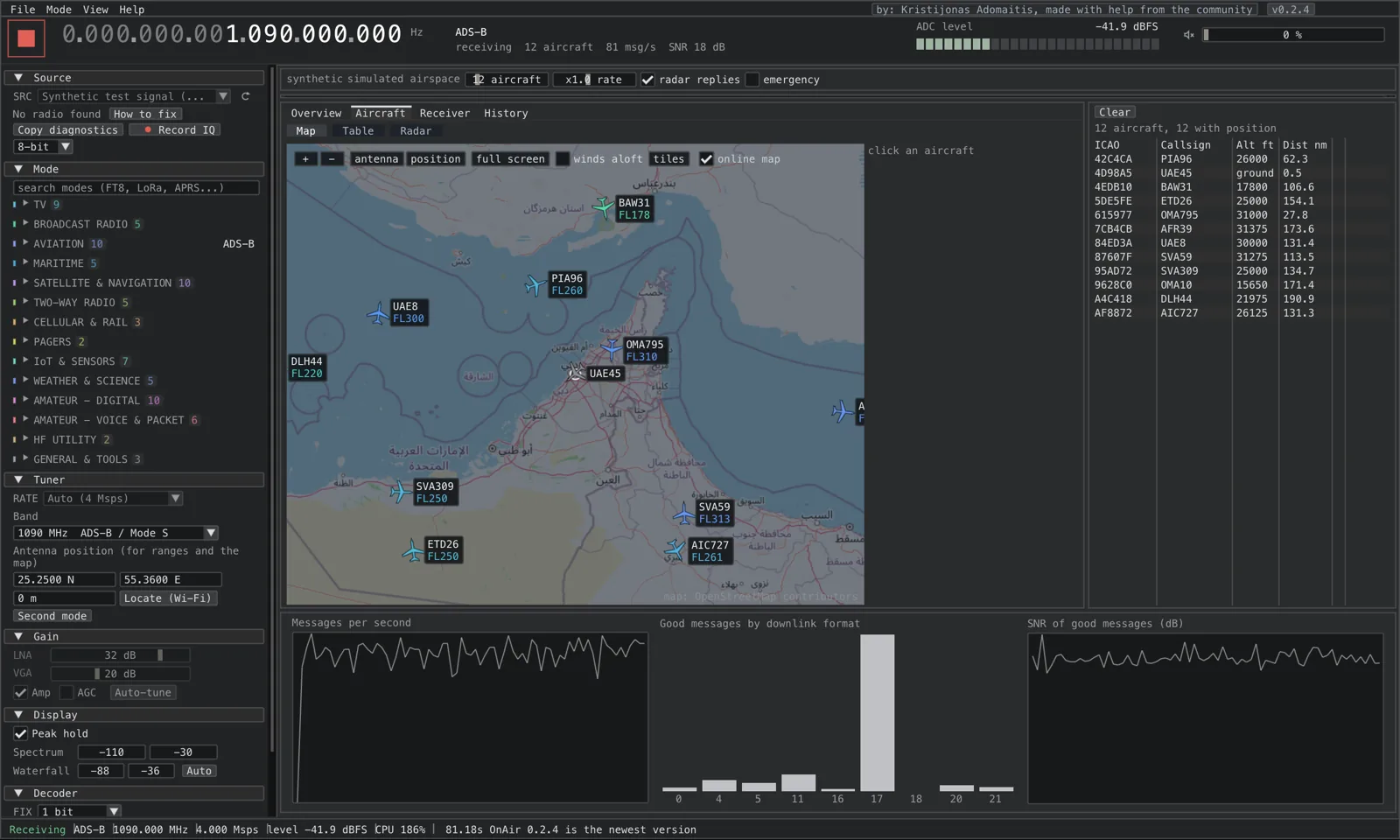
Every mode gets its own screen laid out for what that signal needs, but the spectrum and waterfall are never more than a glance away.
Try it
Three small instruments you can play with.
They run in your browser on made-up data. No radio, no download, nothing sent anywhere.
Constellation
Why a weak signal falls apart
Digital TV and radio send data as points on a grid. More points per symbol means more data per second, and less room for noise. Pick a modulation and drag the signal-to-noise ratio down: OnAir shows the same picture for your real signal and tells you when the error correction can still save it.
Click to tune
Find a signal, read what it says
A slice of an HF band with five different signals. Click one (or use the buttons, or arrow keys) to tune it, and watch the decoded text appear the way OnAir shows it for CW, FT8, RTTY and PSK31. The callsigns are made up.
Nothing tuned
Map
Aircraft, ships and satellites on a map
ADS-B shows aircraft with callsign, altitude and speed; ACARS and VDL2 add their messages and positions; AIS shows ships; the pass planner follows satellites. This map animates made-up traffic, just to show the idea.
Every mode
The 83 modes, as an index.
Grouped as in the app. Search by name or keyword; open one for what it is, where to find it and what OnAir shows. Rows marked exp are experimental.
TV
Broadcast radio
Aviation
Maritime
Satellite & navigation
Two-way radio
Cellular & rail
IoT & sensors
Weather & science
Amateur: digital
Amateur: voice & packet
HF utility
Get it
Download for your computer. Bring your own radio.
Packages for macOS, Windows and Linux, with the radio libraries included. Updates install themselves when you close the program.
macOSUniversal builds
macOS 15 or later: Apple silicon .dmg, and Intel .dmg for CPUs with AVX2.
Download for macOSWindowsInstaller or zip
Windows 10 and 11, 64-bit. Setup .exe or a portable zip. Install the WinUSB driver once with Zadig for HackRF, RTL-SDR and Airspy.
Download for WindowsLinux.deb or portable
amd64 and arm64 .deb for Debian and Ubuntu, with its own video decoder, or a portable tar.gz for other distributions.
Download for Linux| Radio | TV channels (6 to 8 MHz) | DAB, FM, narrow modes |
|---|---|---|
| HackRF One / Pro | Yes | Yes |
| BladeRF, LimeSDR, USRP | Yes | Yes |
| Airspy R2, SDRplay RSP | Should work | Yes |
| PlutoSDR | Limited by USB rate | Yes |
| RTL-SDR | No | Yes |
| Airspy HF+ | No | Narrow channels, HF |
| Anything with a SoapySDR module | Depends on the radio | |
What it can't do yet.
- Most of the 83 modes are experimental. DVB-T2, DVB-T, ATSC 1.0, DAB+ and FM have been checked on real signals; the others are built from the published specifications and tested on simulated ones, so expect rough edges.
- Testing has been done mostly with a HackRF. The other radios are driven directly but have had far less testing.
- It cannot transmit and it cannot decrypt anything: encrypted TV and radio calls stay encrypted.
- Voice modes like DMR and P25 need a codec library that you install yourself. Patented codecs are not shipped.
- An RTL-SDR is too slow for TV channels, and the macOS and Windows builds are not code-signed yet.
FAQ
Questions people ask first.
What is OnAir?
OnAir is a free, open-source application for macOS, Windows and Linux that turns a software-defined radio (SDR) into a receiver and decoder for 83 modes: digital TV (DVB-T2, DVB-T, ATSC, ISDB-T), DAB+ and FM radio, aircraft (ADS-B, ACARS, VDL2), ships (AIS), satellites, amateur digital modes such as FT8, and more. It shows the spectrum, waterfall and constellations so you can see exactly what the receiver is doing.
Which SDR radios work with OnAir?
The HackRF One and HackRF Pro are supported natively and are what OnAir is developed with. BladeRF, LimeSDR, USRP, PlutoSDR, Airspy, SDRplay, RTL-SDR and Airspy HF+ are driven directly (marked experimental), and anything with a SoapySDR module can be added. Wide TV channels need a radio that samples fast enough; an RTL-SDR works for DAB, FM and narrow modes. See the radio guide.
Do I need a radio to try it?
No. Most modes include a built-in synthetic test signal, and the Tour button walks you through the app with a demo signal, so you can explore before you buy anything.
Is OnAir really free?
Yes. It is released under the GNU General Public License v3.0 or later. There is no account, no subscription and no telemetry; the only server it contacts is github.com for update checks, which you can turn off.
Can OnAir decrypt encrypted channels or calls?
No. Encrypted TV services cannot be decoded, and encrypted radio calls (DMR, P25, TETRA and others) are only shown as encrypted. Nothing is ever decrypted.
Is it legal to use?
Receiving broadcasts is legal in most places, but laws differ, especially for private two-way radio, pagers and some aviation or maritime traffic. OnAir is a receiver; checking the rules where you live is up to you.
Why are most modes marked experimental?
The newer receivers are built from the published specifications and checked end to end on simulated signals, but have had little or no testing on real transmissions yet. DVB-T2, DVB-T, ATSC 1.0, DAB+ and FM are the established ones. Recordings and reports on Discord help turn experimental modes into proven ones.
What about voice codecs such as AMBE?
OnAir never ships patented codecs. For DMR, P25, NXDN, dPMR and D-STAR you install mbelib yourself, and for FreeDV and M17 codec2. A ? button next to the sound of each such mode shows what is found and where to put it. See voice codecs.
Plug in a radio. Pick a mode. Press Start.
Free, open source, no account.